
Every field is searchable.
You planned no index for it.
The columnar store keeps columns, so a field that appeared for the first time this morning is queryable this morning. Discover reads the live catalog rather than a hand kept list, at any nesting depth, so nothing is missing because nobody registered it.
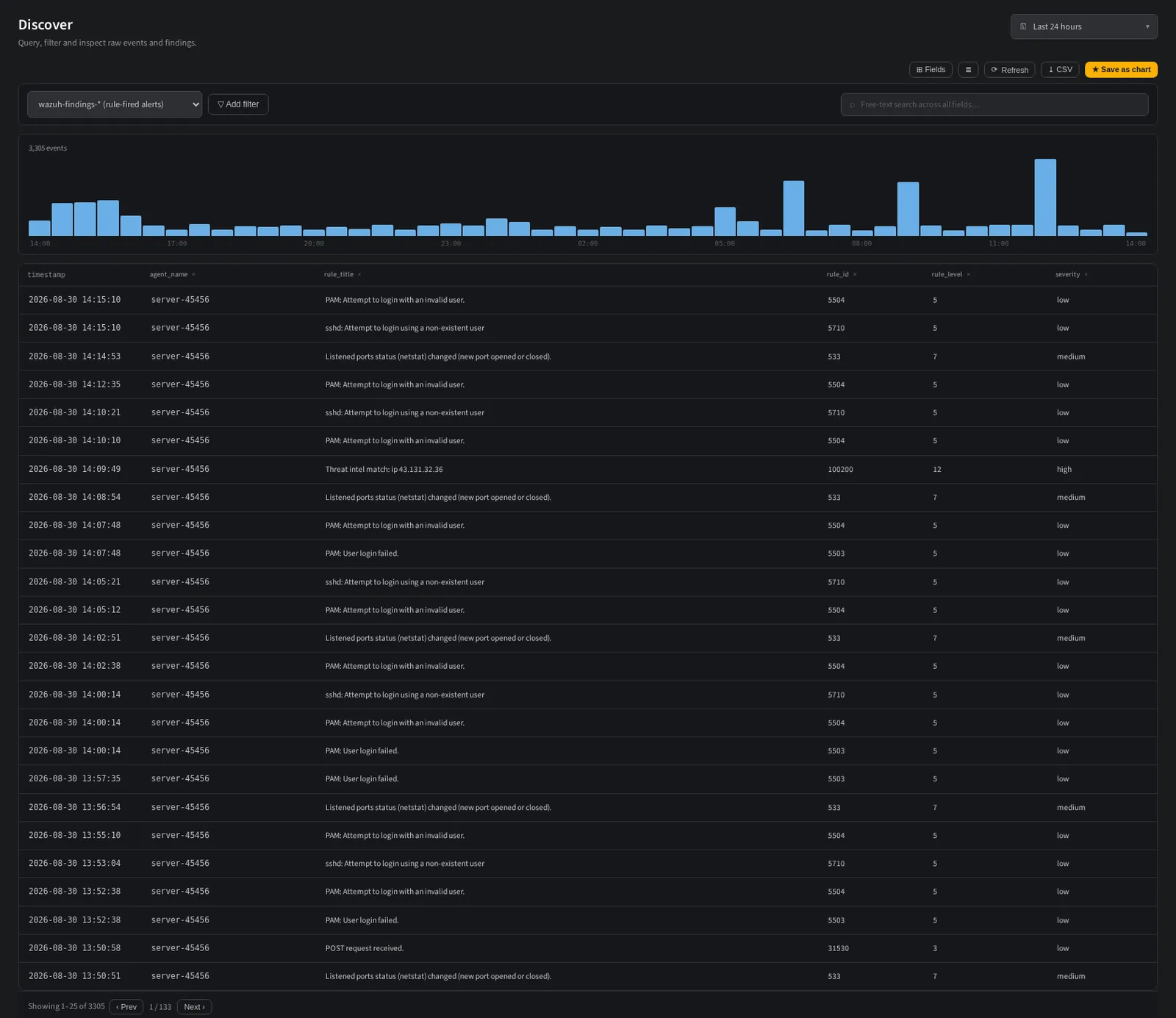
Source, filters, histogram and results. The field rail is one click away.
Filter, pivot, expand, without writing SQL.
A filter bar over the real field catalog, a time histogram you can read at a glance, column pills you add and drop from the header, and a row flyout that shows the entire decoded document. The people who use this know Wazuh, not the underlying store.
- ▸Fields come from live data. The catalog is read from what actually arrived, flattened at any depth, so nested and array fields are offered too.
- ▸The same operators as detection. A filter you build here reads exactly like the condition in the rule that would fire on it.
- ▸Row expansion. Open any row for the full document: decoded fields, enrichment, rule metadata and the original line.
- ▸Density and rail toggles. Comfortable for reading, dense for scanning, with the field rail hidden until you want it.
Column pills, histogram and results over the live findings source.
Raw, decoded and finding are all kept.
Most platforms keep the alert and discard the evidence. NullSOC stores the untouched line, the decoded event and the finding as three queryable layers joined by one trace identifier, so an investigation can always walk back to what actually arrived on the wire.
- ▸Raw events are the original line, verbatim, timestamped in UTC and never rewritten.
- ▸Decoded events are the same record normalized to ECS with GeoIP and ASN attached.
- ▸Findings are what a rule or correlation produced, carrying severity, groups, ATT&CK and compliance.
- ▸Retention is per layer. Keep findings for a year and raw for a fortnight, or any other split, as a setting.
A search you repeat should not be retyped.
Name a filtered search and it becomes an alias: a first class source in the picker, exactly like the built in ones. Save it as an Events chart instead and it becomes a dashboard tile, or the body of a scheduled report.
- ▸Aliases are a named filter over a base source, with no data copied and no second pipeline.
- ▸Save as chart turns a Discover view into a chart you can drop on any dashboard.
- ▸Dashboard tiles stay live. An embedded view keeps its histogram, filters and row expansion inside the tile.
- ▸Reports reuse the same view so the PDF and the screen cannot disagree about what was asked.
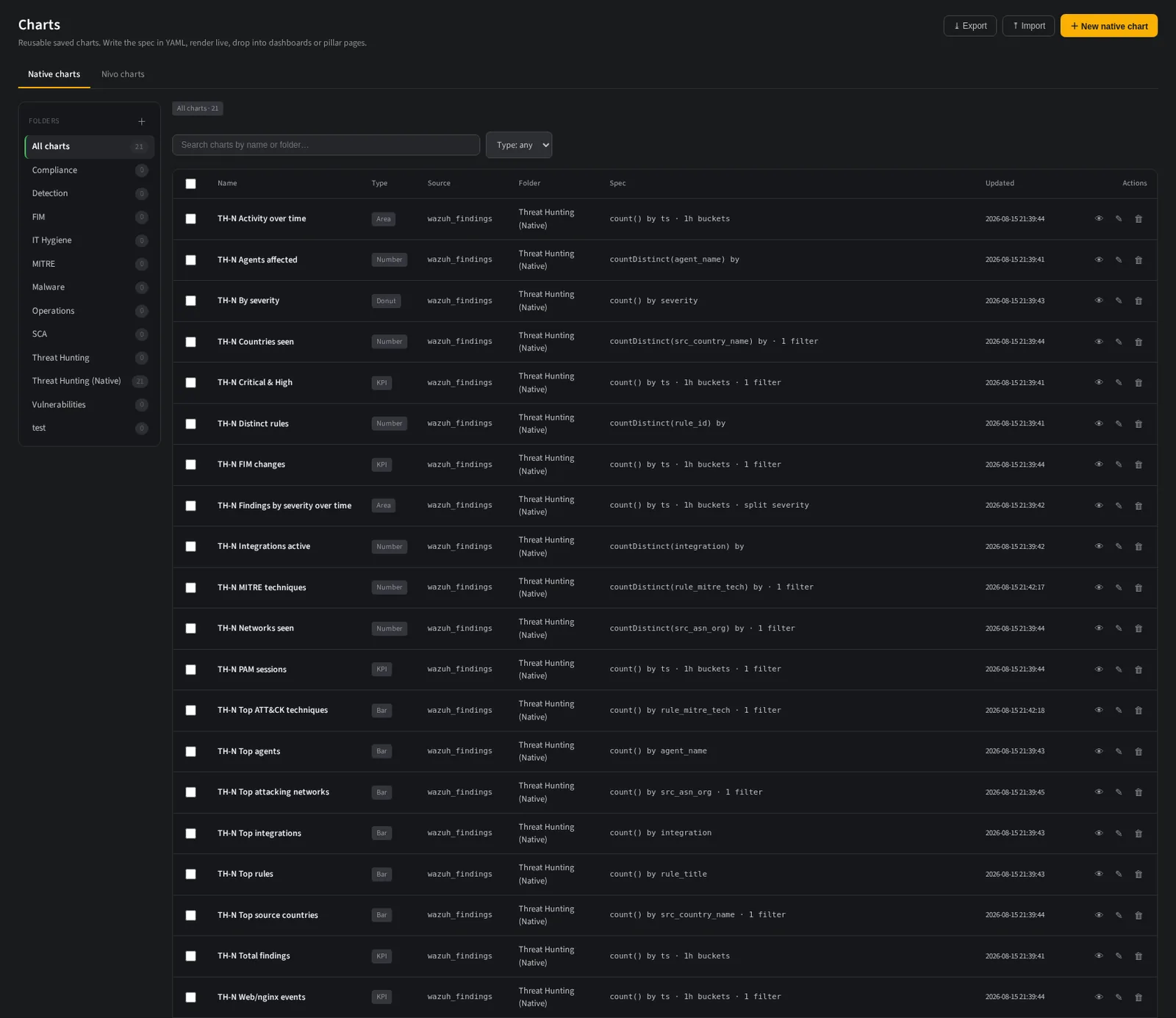
A saved view becomes a chart, and a chart becomes a tile or a report page.
Drop the noise before it costs you anything.
The cheapest event is the one never stored. Ingest filters are evaluated inside the collector, before the store, so junk never reaches disk. Because a filter is a security decision, you dry run it first and see exactly what it would have removed.
- ▸Dry run before apply. See the matched percentage, sample lines, and how many findings came from those lines.
- ▸Findings from matched is the safety number: a filter that would have removed real detections says so.
- ▸Raw door fields only. Filters read what exists at the door, so they cannot depend on a decode that has not happened.
- ▸A bad filter never applies. An invalid rule is refused and the previous configuration keeps running. Ingest does not stop.
Search a field nobody indexed.
That is the whole demo.
Name a field you gave up on because it was not in the mapping. We will filter on it live, then pivot from the result to the raw line that carried it.
Powered by Codesecure Solutions. Self hosted, cloud or fully managed.